PRIMAVERA P6

Connector Details
| Name | PRIMAVERA P6 |
|---|---|
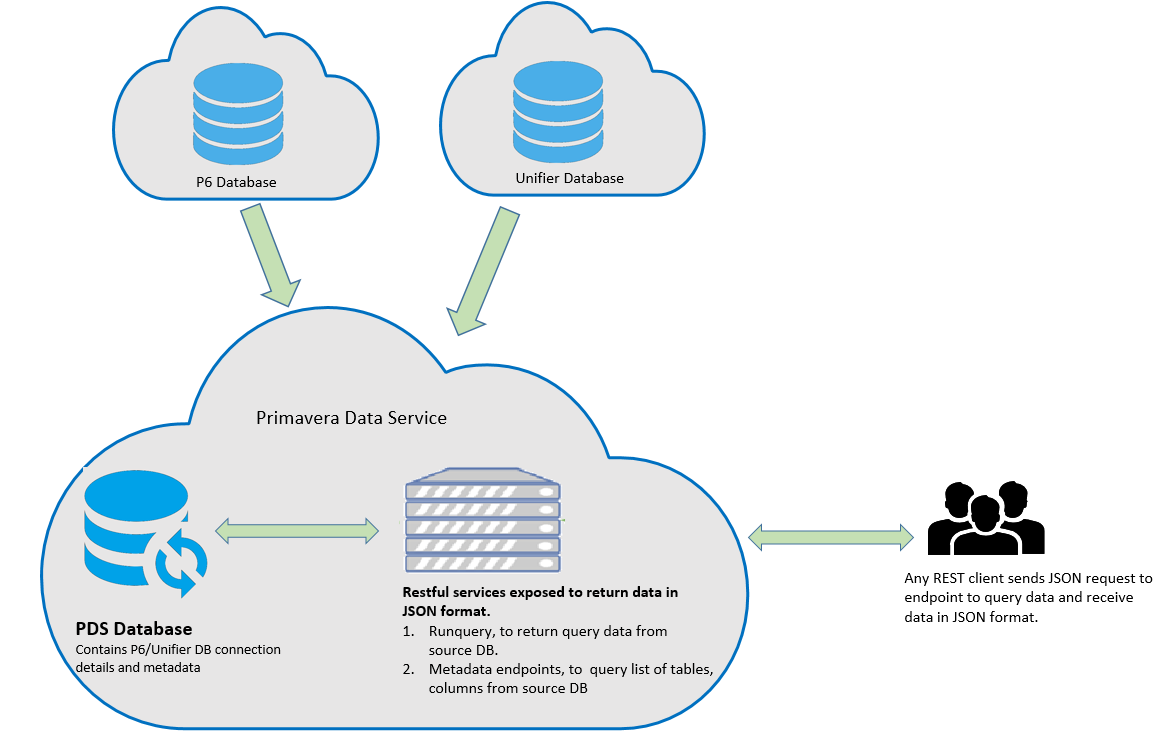
| Description | Oracle Primavera P6 is a powerful project, program, and portfolio management tool used for planning, managing, and executing projects across various industries—including Construction, Oil and Gas, Aerospace and Defense, Government and Federal Agencies, Energy and Utilities, and Biotech. Key Features * Planning: Create project schedules, allocate resources, and manage costs. * Scheduling: Plan and control large-scale programs and individual projects. * Resource Management: Optimize resource allocation. * Cost and Schedule Management: Integrate cost and schedule data. * Multiuser Access: Allows project managers to coordinate costs and schedules. * Team Collaboration: Gather status updates from team members. The Primavera P6 Data Service provides read-only access to your cloud-based P6 EPPM, Primavera Unifier Project Controls, and Primavera Unifier Facilities and Asset Management transactional data via RESTful endpoints. |
| Connector Type | Class C |

Features
| Load Strategies | Full Load, Incremental Load |
|---|---|
| Metadata Extraction | Supported |
| Data Acquisition | Supported |
| Data Publishing | Not Supported |
| Automated Schema Drift Handling | Not Supported |

Source Connection Attributes
| Connection Parameters | Data Type | Example |
|---|---|---|
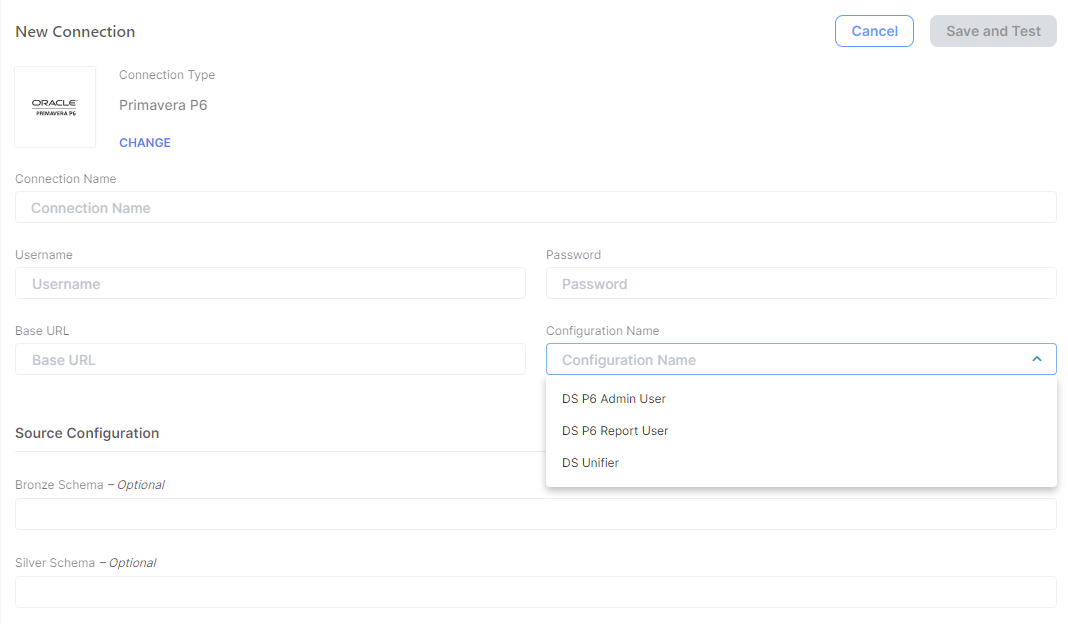
| Connection Name | String | PrimaveraP6APIConnector |
| Base URL | String | Stage: https://us2.p6.oraclecloud.com/p6-customer-name/stage\ OR\ Production: https://us2.p6.oraclecloud.com/p6-customer-name |
| Username | String | P6USERNAME |
| Password | String | your-password |
| Configuration Name | String | DS P6 Admin User (*ds\_p6adminuser*)\ DS P6 Report User (*ds\_p6reportuser*)\ DS Unifier (*ds\_unifier*) |
| Bronze Schema (Optional) | String | |
| Silver Schema (Optional) | String |

Connector Specific Configuration Details
- Base URL: The environment section of the endpoint URL is formatted as follows:
- OCI Stage:
<data center>.p6.oraclecloud.com/<customer>/stage - OCI Production:
<data center>.p6.oraclecloud.com/<customer> - GBUCS Stage:
<customer>-stage-primavera.oracleindustry.com - GBUCS Production:
<customer>-primavera.oracleindustry.com
- OCI Stage:
- Configuration Name: Compatible with P6 configurations:
-
ds_p6adminuser to access the P6 EPPM database as admuser (Tables).
-
ds_p6reportuser to access the P6 EPPM database as pxrptuser (Views).
-
ds_unifier to access the Primavera Unifier database.
NoteThe Empower Primavera P6 connector will be configured to point at one configuration at a time (i.e. P6 Admin User (ds_p6adminuser). If you need to pull data from multiple configurations, create a new Data Source Connection in the Empower Analytics UI for a new configuration. This is done because there is an overlap in tables/views with the same name between different configurations in P6.
-
- Required Permissions & Module access in P6:
-
Integration API
-
P6 Analytics
-
Web Services
NoteAny data that is required for data extraction will also need to be granted to the service account being used for Empower P6 connector (i.e. Portfolios, Projects, Timesheet, and Resources). For example, if Project data is required, then the service account will need to have P6 Module access to Project data.
-

Screenshot To Use Connector