FTP

Connector Details
| Name | FTP |
|---|---|
| Description | FTP, or File Transfer Protocol, is a standard network protocol used for transferring files between a client and a server over a network. Unlike SFTP, FTP does not inherently provide encryption, meaning that data is transferred in plaintext, which can leave it vulnerable to interception. Despite this, FTP remains widely used in certain environments where security is not a primary concern, or where it is combined with additional security measures like SSL/TLS (FTPS). FTP operates using separate control and data channels, enabling efficient file transfers across various systems. It allows for directory browsing, file uploads, and downloads, making it useful for non-sensitive data exchange. FTP is often used in web development, content distribution, and internal network file sharing. Although less secure than other protocols, FTP continues to be a straightforward and efficient tool for managing and transferring files over the internet, especially when security is managed through external means. |
| Connector Type | Class C |

Features
| Load Strategies | Full Load, Incremental Load |
|---|---|
| Metadata Extraction | Supported |
| Data Acquisition | Supported |
| Data Publishing | Not Supported |
| Automated Schema Drift Handling | Not Supported |

Source Connection Attributes
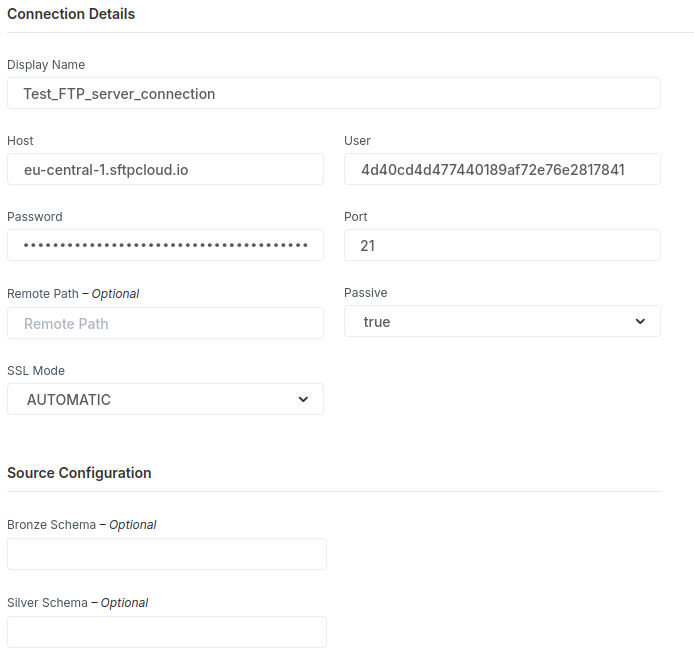
| Connection Parameters | Data Type | Example |
|---|---|---|
| Connection Name | String | FTP Server |
| Host | String | <Host name> |
| Port | Numeric | 21 |
| User Name | String | <User> |
| Password | String | <Password> |
| RemotePath | String | <Path> |
| Passive (mode) | Boolean | <true/false> |
| SSL Mode | String | <SLL Mode> |
| Bronze Schema (Optional) | String | |
| Silver Schema (Optional) | String |

Connector Specific Configuration Details
-
FTP connector has optional values such as Bronze Schema and Silver Schema
-
Connector accepted only CSV/JSON files like sources of data.
- Mandatory conditions for the FTP static
CSVfiles:- File Format
- Use of Separator
- Encoding Standard
- File Movement or Renaming
- Replacing a File
- Dropping and Creating a New File
- Mandatory conditions for the FTP static
JSONfiles:- Encoding Standard
- File Movement or Renaming
- Replacing a File
- Dropping and Creating a New File
- Mandatory conditions for the FTP static
-
The connector demands a few mandatory options: RemoteHost, User, Password, and RemotePort. Let's review the free service to generate these connection properties for our testing:
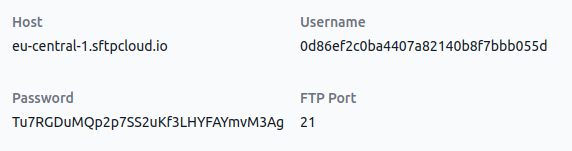
RemoteHost: eu-central-1.sftpcloud.io
User: 0d86ef2c0ba4407a82140b8f7bbb055d
Password: Tu7RGDuMQp2p7SS2uKf3LHYFAYmvM3Ag
RemotePort: 21

Screenshot To Use Connector