Coming Soon: Empower is becoming the Hitachi Unified Data Accelerator! The Empower name and URL will be changing in future releases. Same product and features you rely on — just a new name and look.
Changelog
Updates and changes to Hitachi Unified Data Accelerator Subscribe via RSS to get notified of new releases.
🔃 Power BI Table Level Refresh: Selectively refresh individual tables in Power BI datasets during Publish Tasks to reduce runtime and compute usage.
⏰ Advanced Scheduling: Gain more control over workflow execution with expanded scheduling options, exclusions, and recurring patterns.
🔌 Multiple IR Hybrid Environment Support: Map multiple Integration Runtimes to a single Connector type across on‑prem, cloud, and hybrid environment setups.
✨ Multiple Quality of Life Improvements: Cluster configuration is now available for Publish to Target Publish Tasks, easily view detail error messgaes related to a Data Migration, and Extend Tasks now support running any ADF pipeline.
🔄 Extend Tasks Expansion
Mix and match the orchestration of external services - Databricks Jobs, Fabric Notebooks, Fabric Pipelines, Logic Apps, ADF, and Function Apps - directly from within Empower.
🔧 Data Migration Enhancements
We've expanded Data Migration capabilities to support promotion of Workflows, Fivetran Tasks, Extend Tasks, and Publish Tasks between environments.
🚨 Error Message Banner
Real-time validation and error feedback now available in editable grid views within the Modeling module.
🔔 Notifications Nudge
Gentle reminders to enable notification emails for users who haven’t turned them on yet.
Key Changes & Improvements
🔄 Sync Model Entity Metadata
Automate entity column population in model buildouts with metadata from Unity Catalog.
🔧 Multiple Integration Runtime Support
Enabled support for multiple Integration Runtimes, allowing connections to diverse data sources and the integration of existing customer-managed IRs for enhanced flexibility and security.
✨ Workflows Interface Enhancements
Enjoy a cohesive redesign and improved filtering options in the Workflows page.
🚀 Small Changes, Big Impact:Quality of Life Improvements
Experience streamlined navigation and enhanced functionality across various modules.
Key Changes and Improvements
We have A LOT of great updates coming out in v1.40:
Self-Service Error Reset: You can now reset acquisition tasks on your own from the Dashboard module.
Email Notifications (BETA): Beta rollout of email notifications for key events and workflows.
Fivetran Connections GA: Fivetran Connections are now generally available. 100+ new connections are now instantly available for all in the Connections module!
Task Page Redesigns - Task pages have been redesigned from card-based to table-based layouts.(excluding Extend, coming soon!)
Model Entity Navigation Update: Modeling has been moved out of the Transform section into its own top-level menu item for better discoverability.
Transform Task Autocomplete: Model fields now autocomplete when configuring transform tasks for ease of use.
Improved Task Visibility on Connect Pages: Associated tasks are now shown in an accordion view for better clarity and navigation.
Key Changes and Improvements
Empower v1.39 introduces powerful new features and usability improvements to help you manage your data estate with greater visibility and control.
New Health & Performance Dashboard: Get a high-level view of task and workflow health, object acquisitions, and runtime performance—all in one place.
Streamlined Navigation Menu: A redesigned sidepane makes it faster and easier to move across key Empower modules.
Metadata Catalog Bulk Editing: Save time by editing multiple metadata fields across many objects at once.
Fivetran Connect Cards (Private Preview): Start exploring our upcoming Fivetran integrations—available to early access users by request.
This release focuses on usability, insight, and efficiency. Dive into the details in the sections below or check out the docs to learn more.
Quick Help - In-App Documentation: Instantly access page-specific documentation guides directly within Empower via a new help button.
Change Tracking for SQL Server and Azure SQL DB: The ability to choose change tracking as the merge strategy from the metadata catalog for SQL Server and Azure SQL DB connections.
Group Role Assignment: RBAC functionality has been expanded by enabling the assignment of roles to entire user groups, simplifying role management and accelerating user onboarding.
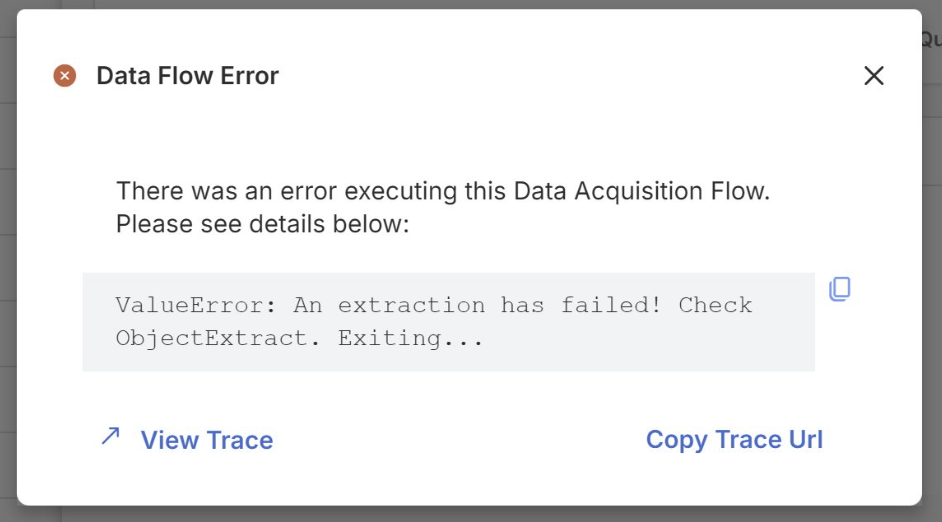
View Trace Link for Errors: Easily debug the root cause of errors with a new "View Trace" link included directly within error message pop-up, providing quick access to detailed trace information.
DB2 Self-Service Connector: You can now setup DB2 connections from the Empower UI.
Batch and Cluster Configuration: Users with advanced options enabled can now choose to enable batch extraction and configure clusters for Data Flows.
Transform Flows - Skipped Status Support: Improved the Transform run history logs by clearly distinguishing entities that are skipped due to a predecessor's failure to enhance root cause identification and debugging efficiency.
Connection Schema Name Validation: Added validation to entering the same name for Bronze and Silver schema inputs when setting up a connection to avoid downstream failures.
Redshift Self-Service Connector: You can now setup Redshift connections from the Empower UI.
OneDrive Self-Service Connector: You can now setup OneDrive connections from the Empower UI.
Connector Support for Excel Files: Support for Excel files (.xls and .xlsx) has been added to the Sharepoint, AWS S3, SFTP connectors.
Key Changes & Improvements
Note that due to the holidays, work for versions 1.35 and 1.36 has been combined into a single release: 1.36.
PowerBI Support for Publishing Data Flows: Empower now allows you to refresh a PowerBI dataset directly from the UI when adding a Publish step using Workflows and Data Flows.
Menu & Naming Convention Enhancements: Key changes have been made to naming conventions and menu navigation for improved intuitiveness, including a direct link to documentation and an improved menu collapse button.
Workflows Enhancements: A new "Runs" tab has been added to the Workflows Overview screen, providing a complete list of all runs along with detailed information about each workflow step. We've also added filtering and tooltips to make navigation use even easier.
Cornerstone Self-Service Connector: You can now setup Cornerstone connections from the Empower UI.
AWS S3 Bucket Self-Service Connector: You can now setup AWS S3 Bucket connections from the Empower UI.
SFTP Connector Enhancement - Support for CSV and JSON files: The SFTP connector now supports the ingestion of both CSV and JSON files.
Databricks Connector Enhancement - New Auth Type Option: A new authentication option using OAuth with a service principal has been added for Azure Databricks access.
Publishing Flow Monitoring and Logging: Data publishing flows now provide robust logging with entity-by-entity run status granularity.
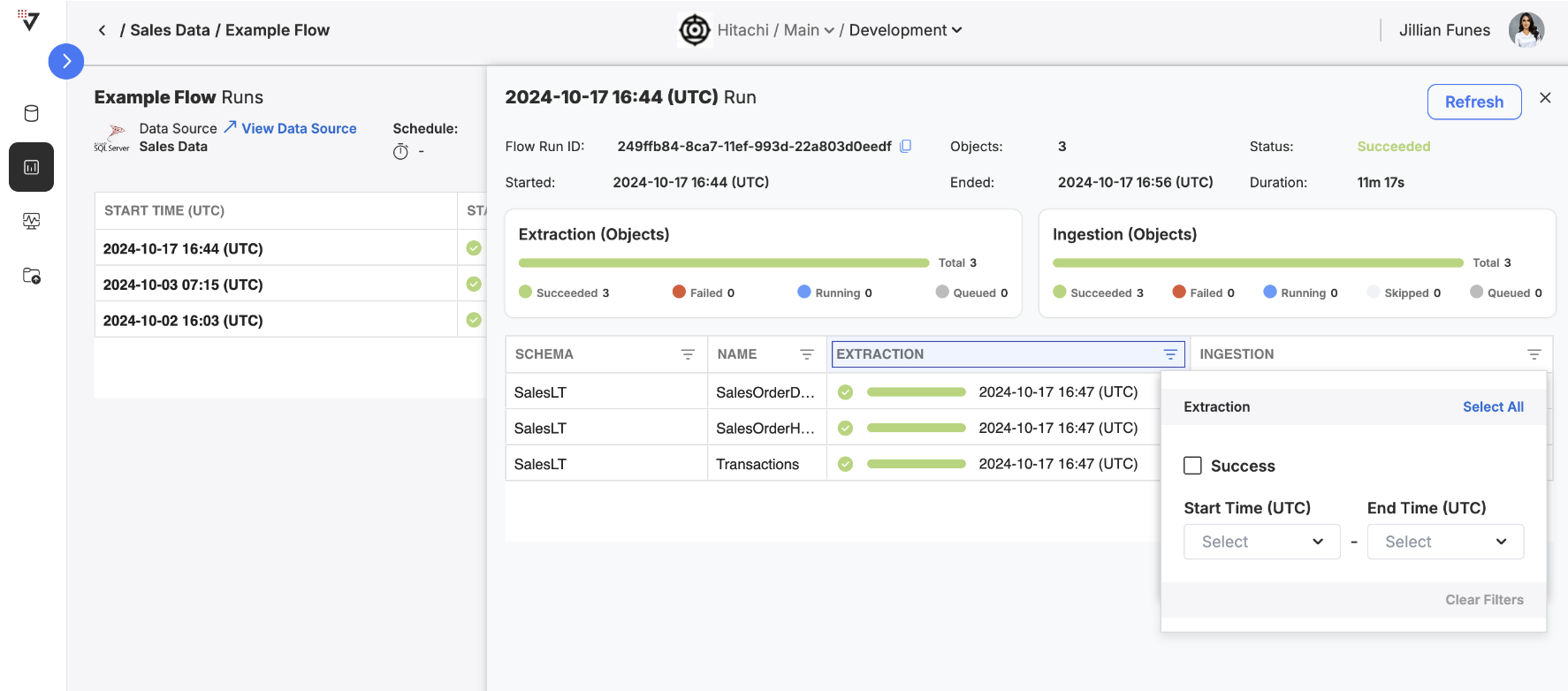
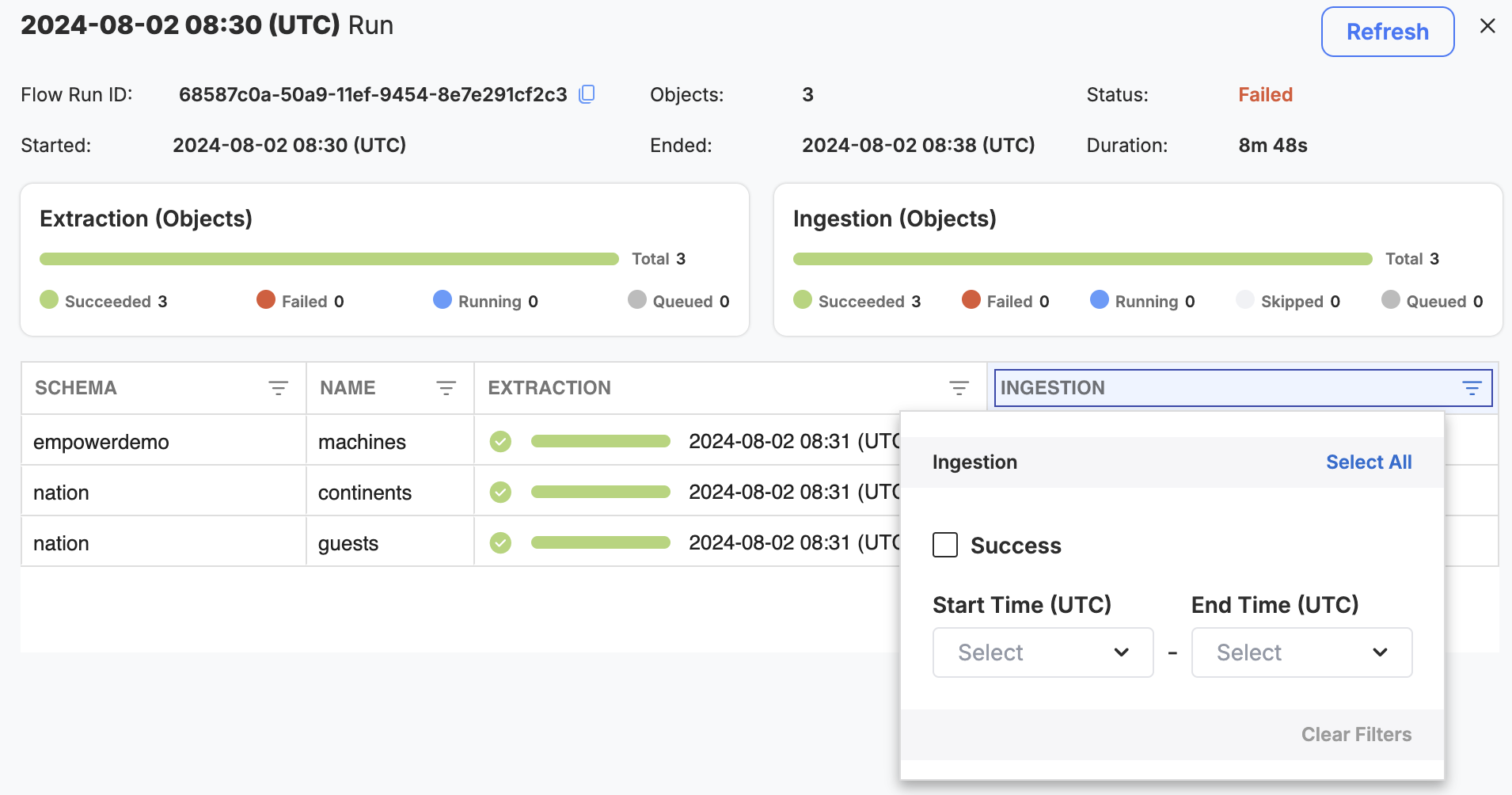
Data Flow Run Details Filtering & Search: Advanced filtering capabilities added to the object/entity details table in data flow run details views.
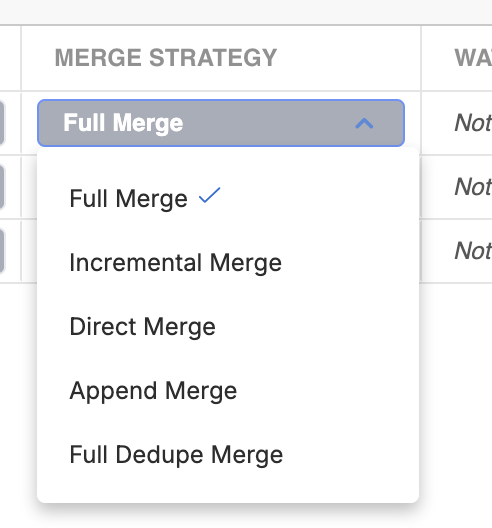
Metadata Catalog Merge Strategies: Users can now choose a merge strategy from the metadata catalog on a per-object level for tailored data ingestion.
Flow Error Upgrades: Two large improvements: stack trace URL links to debug Azure services and providing error messages at a global flow level for easier debugging and triage.
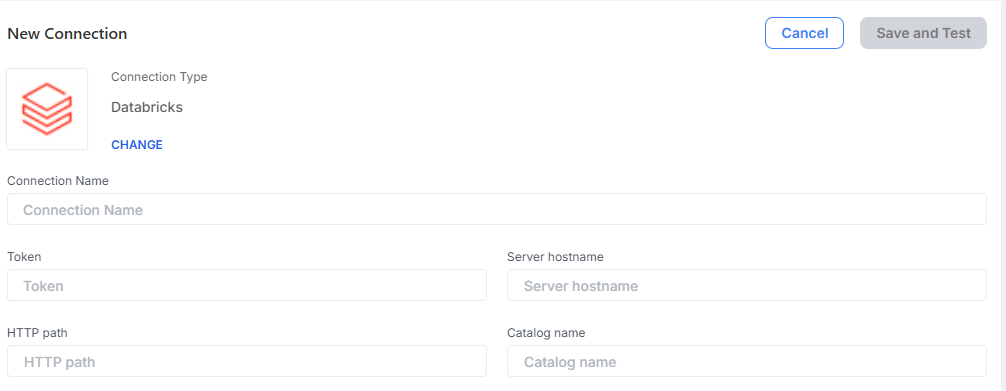
Databricks - Self-Service Connector: You can now setup Databricks Unity Catalog connections from the Empower UI.
info
Publishing Flow Monitoring and Logging
Empower now offers comprehensive logging capabilities for your data publishing flows!
This enhancement provides detailed, entity-by-entity run status granularity, allowing you to monitor each aspect of your publishing flows with greater precision. Check out the Empower Docs to explore how to effectively monitor and log your data publishing processes.
Start leveraging these advanced capabilities by accessing the detailed run status of your publishing flows directly within your Empower instance.
info
Data Flow Run Details Filtering & Search
We've added advanced filtering capabilities to the object details table in data flow run views. This allows you to more efficiently monitor and locate specific information within each column.
info
Metadata Catalog Merge Strategies
Empower now enables users to choose a merge strategy from the data source's metadata catalog on a per-object level. This feature allows tailored data ingestion strategies for each source object, addressing specific data management scenarios and needs more effectively.
Read more on the merge strategy options in the Empower Docs.
info
Flow Error Upgrades
We have introduced several error message upgrades in this release!
Error message details can now contain stack trace links in their message body. You can use this link to quickly navigate to the Azure service where the error occurred (such as an Azure Data Factory pipeline or an Azure Databricks notebook).
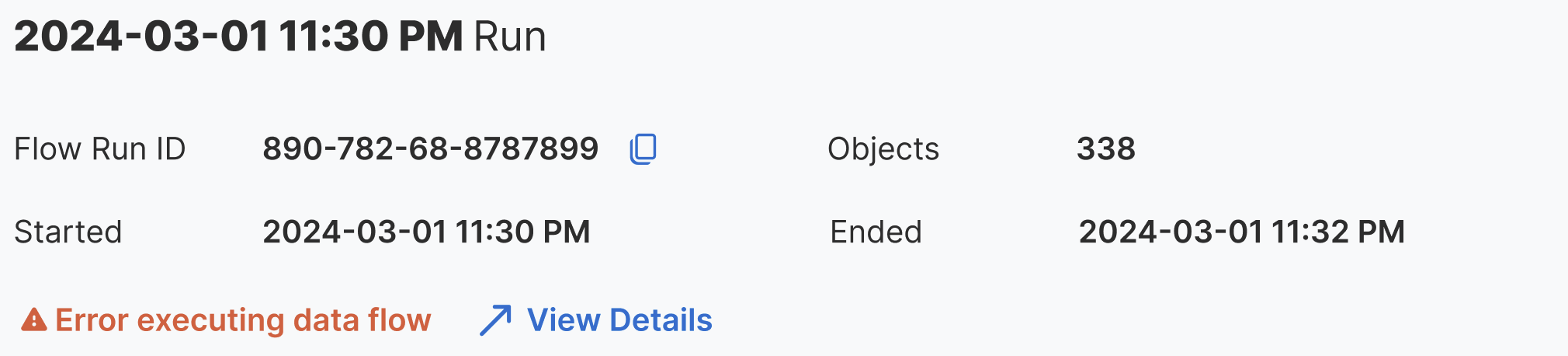
Data flows now contain their own error messages to better identify issues not tied to specific objects. When a data flow run encounters an flow-level error, a general message now appears above the stoplight bars in the flow run details with the option to view the full error message.
info
Databricks - Self Service Connector
Databricks is now available as a self-service connector. Setup connections to a Databricks Unity Catalog using the Empower UI.
Analytics Engineering Monitoring: Analytics Engineering monitoring is now possible from the flow log page, giving an entity-by-entity breakdown of the run status.
Interactive Cluster Support: Empower now supports interactive cluster configuration in addition to job clusters for certain phases in load group pipelines to support large data movement requirements.
Microsoft Entra - Self Service Connector: New in the UI, you can now setup connections to Microsoft Entra, a comprehensive identity and access management (IAM) solution.
System Reporting Page Deprecation: We will be removing the System Reporting page in the UI as part of the v1.32 release as we continue to roll out new monitoring and logging features. Stay tuned for more updates in this space!
Data Acquisition Flow Monitoring and Logging: You can now observe historical and currently-running data acquisition flows in an intuitive way! Visit the docs to learn more about how to use this new feature in your deployment.
BETACustom Flows : Empower now allows for more flexibility than ever before. Want to execute a notebook on a schedule? You can now configure custom flows to do just that! Visit the docs to learn more about how to use this new feature in your deployment.
Dynamics FO & CE Publishing: These two sources are now also available as data targets for publishing data for both Publishing Flows and in Advanced Options with Load Groups.
Metadata Catalog Object Options: Inside a source's Metadata Catalog, a new column is available that allows key-value pairs to define custom acquisition configuration on an object-by-object basis.
Model Building Improvements: Missing values and ghost records are automatically handled for you within Model - Entity Column by default upon Model - Entity buildout. Direct SQL also now supports incremental entity buildout. See below for more details.
Analytics Engineering Entity Graphs: You can now visualize and manipulate entity dependencies for Analytics Engineering flows using our new graph interface. Create new nodes, edit existing connections, and remove obsolete dependencies in a new experience! View the documentation to learn more about dependencies.
New Self-Service AEC Connectors!: View our Source System Support page for details on all of our supported data source types. This release, we've expanded our Architecture-Engineering-Construction source type set with the following connectors:
Metadata Catalog Default Behavior Change: New objects discovered during all new metadata extractions will no longer be enabled by default. This change occurs for all new and existing data source connections you manage in your deployment.
Empower for Dynamics Accelerator Notebooks: Empower now ships with notebooks to assist Empower for Dynamics integrations. See the notebook documentation here.
Public Preview - Direct SQL Staging: We are publicly previewing a new feature in our model building process. You can write a SQL statement directly within a Databricks .SQL file, specify the filename in the Entity's notebook column, and the query will be run during entity buildout.
New Self-Service AEC Connectors! View our Source System Support page for details on all of our supported data source types. This release, we've expanded our Architecture-Engineering-Construction source type set with the following connectors:
Metadata Catalog UI has been enhanced with bulk edit object enablement/disablement. The Enable column has also been shifted farther left for easier manipulation. Read our Metadata Catalogs page for more.
Data Flows: Finally in public preview, Data Flows allow you to self-service your data management in an intuitive way!
Advanced Options Upgrades: Renaming tables, powerful filter capabilities, and a general column cleanup to reduce clutter.
About Page: From a brand new page found in Settings, you can now view (and copy!) the version of every service supporting your environment.
SAP SAC Connector: The SAP SAC connector for data acquisition is now available for self-service use.
info
Data Flows - Public Preview
Introducing the third-generation of metadata-driven pipeline orchestration, Data Flows! Data Flows simplify the complex parts data movement by breaking it down into modular parts. Data Flows come in three types:
Data Acquisition: metadata extraction, data extraction, and ingestion into the Lakehouse from supported data sources.
Data Publishing: pushing data out of the Lakehouse to supported data sources.
Configure Data Flows, trigger them to run on-demand, and schedule them to run at a regular occurrence within the Empower UI.
As a public preview feature set, we do not recommend using Data Flows for production-level pipelines just yet. However, do feel free to use them in your development processes and please let us know your feedback! For production-level pipelines, continue to use Empower's Step Command system.
Read more about Data Flows in our brand new user guides.
info
Advanced Options Upgrades
We've renamed many of the tabs within Advanced Options to be more intuitive to our users. DB2Step, for example, is now named Orchestration, since its where users can configure ELT through Empower's 2nd generation Database to Step Command system.
Model-related tables have been renamed (Entity -> Model - Entity) for clarity. Log tables have been also renamed to designate their purpose (Log - Model, e.g.).
Finally, may tables now contain useful filtering capabilities. You can now filter by Model on the Model - Entity and Model - Entity Column tables, as an example. See the itemized changelog below for the full review of all Advanced Options updates.
As there are several overlapping pieces of functionality between Advanced Options and Data Flows, we will be keeping the Advanced Options documentation around, while we continue to build out new documentation for Data Flows as the feature set matures.
info
About Page - Empower Services Versions
Visit the new About Page from the Settings module to view the live version of every Empower service powering deployment. Check on your deployment versions. Verify the completion of a new version upgrade. Easily copy out versions and send to your admin or Hitachi delivery team during integration debugging.
Today, the About page provides version information for the following services:
UI
Core API
Data API
Empower API (depreciated)
Empower Spark
Databricks <Azure service infrastructure>
Datafactory <Azure service infrastructure>
Infrastructure <Empower core infrastructure>
Learn more by reading about the Settings module and the About page.
info
SAP SAC Connector Available
SAP SAC is now a supported self-service connector for data acquisition in Empower. View our global collection of suppported sources in our docs, and view our revamped data connector documentation for each connector, including the SAP SAC page.
:::warning Other Notable Enhancements and Fixes
Fixed a Google Analytics bug that prevented successful ingestions.
Addresses a variety of 4XX and 5XX level errors granting much greater platform stability.
Built a template data modeling staging notebook and user guide, found here.
:::
Databricks Runtime Update: Databricks has been upgraded to v14.3 for greater performance and functionality across Empower v1.25! View the changelog here. This runtime has demonstrated large speed improvements, such as up to 2x faster User Defined Functions and new Predictive I/O read capability for extremely fast reads.
Metadata Catalog Updates: Now found on the Data Sources page, with new support for TableName (readonly) and WhereQueryPart fields. See our user guides for information on how to configure metadata.
Advanced Options Upgrades: New filter and performance enhancements in the Advanced Options tables. Automated pagination on log tables enables support for extremely large logs.
info
Metadata Catalog Updates
Metadata Catalogs are now viewable directly from the Data Source page, in addition to the Data Acquisition Page. As we start to rollout Data Flow's in the upcoming releases, our modifications to Empower's UI will enhance the user experience and provide greater self-service capability.
You can now view the TableName for objects (readonly) and define WhereQueryPart SQL statements for extraction. See our user guides for information on how to configure metadata.
info
Advanced Options Upgrades
A highly requested feature, log tables in Advanced Options are now paginated (Object Extract, Object Ingest, and Object Model).
Log tables in Advanced Options are also ordered by Start Time in descending order -- meaning that the most recent log entries will appear at the top.
Entity: filter support for models.
Entity Column: filter support for models and entities.
Entity Dependency: filter support for models.
:::warning Notable Fixes
Description field added to objects extracted from Dynamics FO via Synapse Link sources.
Updated default logos for data sources and enterprises .
Power BI System Reporting now properly displays in all environments.
Data Migration comment box now moved to the bottom of the page for a better experience.
:::
Data Source UI Improvements : Metadata Catalogs are now viewable directly from the Data Source page. Quickly configure global acquisition settings with fewer clicks!
Change Feed Ingestion Support: Empower's ingestion engine can now support Change Data style merges. Note, this feature is still in private preview!
Configuration Migration Improvements: You can now migrate archived data source credentials too.
New Data Connectors: Azure DevOps is now available from the UI. Connect, explore, and unleash your data's full potential!
info
Data Source UI Improvements
Metadata Catalogs are now viewable directly from the Data Source page, in addition to the Data Acquisition Page. As we start to rollout Data Flow's in the upcoming releases, our modifications to Empower's UI will enhance the user experience and provide greater self-service capability.
Additionally, you can now define custom bronze and silver schema names for Data Sources in the connection configuration pane. Note: you must define these fields before your first ingestion of data, as the system will ignore changes to this field post-initial-acquisition. See more details in the Data Sources user guide.
info
Change Feed Ingestion Support - Private Preview!
By customer demand, we have built out Change Feed merge support within Empower's ingestion engine. In this merge strategy, duplicates are inserted into the Bronze Layer as non-current records. Every incoming piece of data is treated as a change to a record.
If your source contains deletion metadata, Change Feed can support it even for incremental extraction! This is not a feature we yet support for most deployments. Please work with your delivery team for enabling this for your deployment.
info
Configuration Migration Improvements
In addition to existing functionality today, you can now migrate archived data sources as well as restored ones from the Data Migration pane. Note, archive restrictions still apply with these migrated sources: you'll need to restore them for editing.
info
New Data Sources Available
New sources ready for self-service configuration for this version include Azure DevOps. All data source drivers have been updated where applicable for better handling in general.
Metadata Error Handling: Metadata extraction now contains more helpful error messages!
Self-Service Data Management: New guides are available for self-service data management using Advanced Options!
New Data Connectors: 31 full self-service data sources now supported by Empower! Connect, explore, and unleash your data's full potential!
info
Self-Service Data Acquisition and Analytics
The Advanced Options page now contains more upgrades and Quality of Life features to assist you in self-service management.
New Data Sources Available
Your deployment now enables you to self-service configure 31 data sources. New sources for this version include Dynamics CE and FO - Direct and BirdEye.
info
Dynamics Publishing Capability - Public Preview!
You can use the Dynamics - Direct sources as publishing targets as well as data sources. Please note, this is not yet currently supported from the UI directly. Ask your delivery team how to use this functionality.
Fixed an issue where Config Promo was not working due to a login failure.
Resolved a cluster validation error related to missing instance pool.
Removed deprecated applications from the empower-enterprise Helm Chart to enhance security.
Fixed various issues related to SFTP Filetypes, hive_metastore configurations, HTTP errors, Model Build Failures, SFTP server connections, and more across the CoreData and CoreData/Spark areas.
Corrected Optional field display for Azure MySQL source type.
Resolved issues related to Publishing Flow validation, Config Migration, POST Flows containing an empty body, and several other API-related bugs.
Addressed navigation issues, AG Grid Header visual issues, sorting and styling issues, column width problems, toggle state changes, form field label issues, visual issues of flow list components, autocomplete search dropdown display issues, Role tree visual issues, filtering issues, and animation trigger issues in the X/UI area.
Empower UX capability and Data Platform updates
Utilize configuration migration to quickly and efficiently move configurations between your environments. Expert users can utilize new Advanced Options publishing capabilities for self-service integration setup! Configure your own data estate entirely within the UI. We are expanding our self-service data connector capabilities. Check out the Data Sources tab in the UI to see them all.
Configuration Migration: Move integration workflows across environments with a button click!
Self-Service Data Publishing: Advanced Options tab expanded to include self-service data publishing configurations!
New Data Connectors: 28 full self-service data sources now supported by Empower! Connect, explore, and unleash your data's full potential!
Expert users can utilize powerful Advanced Options capabilities to do all the things that your delivery team does today! Configure your own data estate for data ingestion and modeling within the UI. Just like in v1.19, you may enable RBAC enforcement within your deployment to test out your permission configuration. We are expanding our self-service data connector capabilities. Check out the Data Sources tab in the UI to see them all.
Self-Service Data Acquisition and Analytics: Advanced Options tab expanded to include self-service data acquisition and analytics configurations!
Role Based Access Controls (RBAC) Enforceable: A brand new access control feature for Empower to enable fine grained control of your deployment!
New Data Connectors: 25+ full self-service data sources now supported by Empower! Connect, explore, and unleash your data's full potential!
This release introduces role-based access controls (RBAC) in your Empower deployment. Administrators in your deployment can define user access levels on an environment, organization, or enterprise level of granularity. There are additional self-service data sources now supported for data acquisition!
Role Based Access Controls (RBAC) Enforceable: A brand new access control feature for Empower to enable fine grained control of your deployment. Ask your delivery manager to enable RBAC enforcement when you're ready to test your newly configured access controls.
New Data Connectors: With 22 full self-service data sources now supported by Empower, you can easily integrate them into your data estate from the UI. Connect, explore, and unleash your data's full potential!
This release introduces role-based access controls (RBAC) in your Empower deployment. Administrators in your deployment can define user access levels on an environment, organization, or enterprise level of granularity. Additionally, you can now configure data in your delta lake to be published out to SFTP servers in CSV, TSV, and parquet file formats.
Role Based Access Controls (RBAC): A brand new access control feature for Empower to enable fine grained control of your deployment.
Data Publishing to SFTP Server: After defining a connection to an SFTP data source, you can now push data tables from your delta lake.
Empower v1.17 is designed to elevate operational efficiency and effective data management, contributing to an enhanced user experience and more strategic control over your data assets.
Metadata Catalog Performance: Pagination support now enables quicker and more efficient browsing of large sources, improving your navigation experience.
Enhanced CRUD Capabilities: Advanced users can now perform bulk deletions, transforming multiple deletion steps into a single click for streamlined data management.
Data Publishing to SQL Server: Empower supports table writing to SQL Servers, featuring flexible event-based and time-based scheduling options for enhanced control over data integration and automation.
The new functionalities in Empower v1.17 are strategically designed to simplify navigation and data management, offer flexible scheduling, and optimize business processes, all contributing to the ongoing growth and success of your organization.
Empower v1.16 introduces beneficial features that enhance your business operations and support its growth, paving the way for a more efficient and productive future.
Here's why:
Batch Modeling Optimization: Experience up to 50% faster model building speeds and more efficient cluster utilization during the build phase, reducing Azure Data Factory (ADF) costs.
Improved Metadata Catalog: Enjoy a more comprehensive visualization of field details and ensure the validity of timestamp types with datetime validation on watermark columns.
Enhanced CRUD Capability: Advanced users now have more CRUD capabilities for the state database, providing better control and flexibility in managing data.
Embedded PowerBI: Now offering near-realtime insights into your deployment health and events. The benefit? Not only do you make smarter, data-driven decisions, but you also gain knowledge of how and when your data is flowing.
Empower Enterprise Chat: Advanced AI chat tools like OpenAI GPT4, privately & securely ($995/month)
Empower v1.16 offers valuable improvements, including enhanced control and flexibility in data management, seamless data integration, faster model building, comprehensive field visualization, and advanced AI chat tools. These benefits contribute to streamlining your business processes, optimizing efficiency, and ultimately driving growth and success for your organization.
Empower v1.15 is more than just a software update; it's priming the pump for some game-changing features for your business. This update starts to move the needle.
Here's why:
Data Ingestion Upgrade: Our new batch-ingestion engine delivers up to 40% speedups in ingestion and 28% faster runtimes. The advantage? Significant time and cost savings.
Advanced Data Management Capabilities: CRUD abilities on DatabaseToStepCommand, Model, and Entity Tables, plus view-only for ObjectExtract/Ingest Tables. The result? More control and clarity in managing your data.
Empower v1.15 is designed to optimize your operations and enhance data management efficiency.
An upgraded user experience has been introduced, allowing users to effortlessly extract metadata from a diverse range of sources on the Data Sources page.
Significant improvements have been implemented, including optimizing the existing ingestion engine, resulting in reduced latency and better overall performance.
We have begun the process of refactoring and upgrading data source connectors to leverage a new, unreleased Spark-based ingestion engine, empowering customers with faster and more efficient data processing capabilities.
In the Empower UI, we are moving closer to achieving complete support for Metadata Management. This includes support for metadata extraction/refresh and the capability to view extracted metadata at both the object-level and the field-level. These enhancements provide users with greater visibility into their source metadata, which sets the foundation for effective Data Acquisition (DAQ) flow management.
Meanwhile, we are refactoring connectors to ensure compliance with the new ingestion engine, including the Kronos connector. Our connector library is continuously expanding, offering clients access to a wider range of data sources with every release.
In this release, Empower customers can now enjoy expanded functionality of the Data Sources UX - with the ability to create and manage source connections to 5 more source types!
The team has also implemented additional entity support to CLI Configuration Promotion. Empower CLI users will now be able to promote data source-related entities between their Empower environments.
Lastly, Empower Release 1.11 also features one major data platform enhancement - supporting the execution of version-controlled Databricks notebooks.
In this release, Empower customers can now access the user interface for the first time - with the ability to create and manage data source connections for seven different data source types.
On top of that, customers can promote configuration changes made to certain database entities (DataModelConfig and ObjectModelList) from lower to higher environments using the command line interface (CLI) tool.
Minor Improvements and User Sync
Version 1.8 includes a number of minor improvement designed to improve reliability and prepare for the broad release of the Empower UX capability.
60% More Model Build Performance
Customers can now leverage our new model build process in order to achieve better performance -- with some customers saving hours of time. Continuing our efforts towards near real time.
New and Enhanced Source Support
With this release we added ServiceNow support, and enhanced the robustness of the Dataverse and MariaDB sources.
info
Preparation for Enhanced Spark Packages
We are rolling our more infrastructure to be able to perform advanced data movement in the Spark layer for customers. We expect substantial savings to stem from this move -- as evidenced by our preview customers.